
 Add to Chrome
GATHER
Turn the pages in front of you into a clean sheet.
Open the sources, follow pagination, and bring the fields you asked for into a result you can review.
RETRIEVER AI FOR CHROME
Describe the finished result. It works across the open web and the sites you are signed into, then brings that result back.
Collect the listings that match these filters and put the result in a sheet.
REAL BROWSER RUNS
Every walkthrough starts with recognizable work and ends with something you can use.
WHAT FINISHES
GATHER
Open the sources, follow pagination, and bring the fields you asked for into a result you can review.
KEEP WATCH
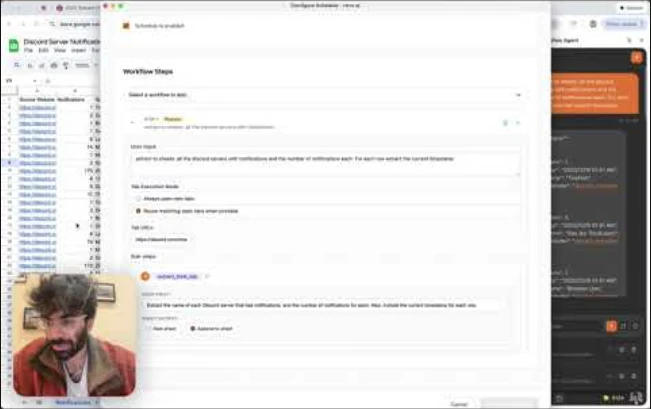
Save the work, add a schedule or trigger, and receive the new result without rebuilding the steps.
CONNECT
Expose the signed-in browser through MCP or the API while you keep control of the device and session.
MCP + API
Connect once, keep the session on your device, and call browser work from Claude, ChatGPT, Cursor, n8n, or your own code.
https://mcp.rtrvr.aiOPTIONAL GOOGLE ACCESS
You can install and use Retriever AI without granting Google permissions. Add them later only when a feature needs them.
Every Google permission is optional. Google Sign-In, Drive, and Calendar are separate choices.
Google Sign-In is a convenience option. You can also log in with your email instead, without connecting a Google account.
The drive.file scope is requested only when you use a Drive, Sheets, Docs, or Slides workflow. It does not let us browse your Drive.
Calendar access is requested only if you add the Calendar MCP server. Signup, install, and normal browser work do not request it.
Data sent between your browser and our servers uses TLS encryption.
Permissions are requested only for the feature you choose to use.
Revoke access in your Google Account or request deletion at any time.
Questions about your data? Read the Privacy Policy or email support@rtrvr.ai.
rtrvr.ai's use and transfer of data received from Google APIs adheres to the Google API Services User Data Policy, including Limited Use requirements.
START HERE
Install Retriever AI, open the page where the work starts, and describe what should come back.