
 Add to Chrome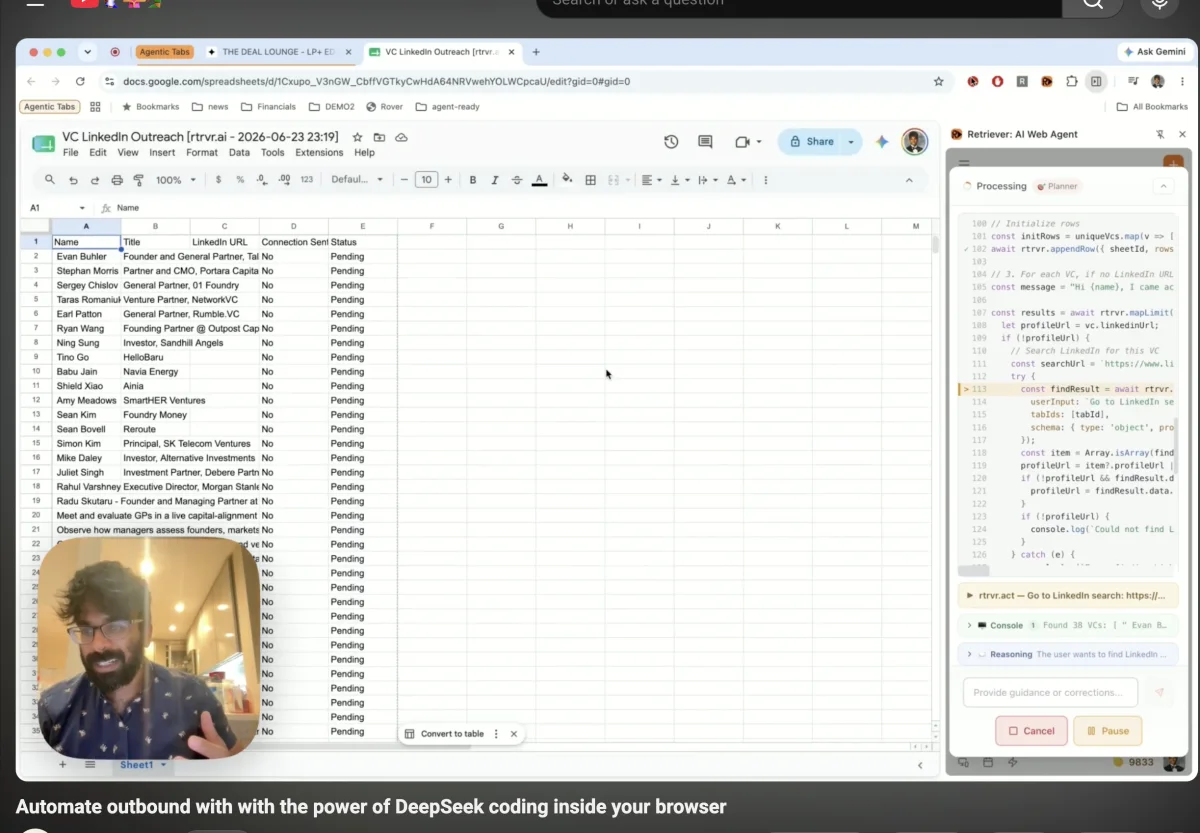
There is an adversarial relationship between developers and the big model labs.
Developers pay premium API prices. The labs use that margin to subsidize their own apps, their own competing agent harnesses, and their own consumer subscriptions.
If you are building an AI IDE, browser agent, support agent, or workflow product on top of a frontier API, you are often subsidizing the company trying to replace you.
That has been the uncomfortable bargain under the agent market: use the best closed model, pay the tax, then watch the same lab bundle an agent product against you.
DeepSeek Flash breaks that bargain.
Not because it is the smartest model in the abstract. Because it hits the exact hot path agent products were overpaying for: cheap, fast, text-only code generation against a harness.
DeepSeek V4 Flash is open, cheap, long-context, and strong enough at code that the harness becomes the moat again. Once the model is good enough to compile browser work into executable code, inference providers start racing to the bottom on hosting and every non-SOTA model bill starts looking optional. Even Microsoft is reportedly weighing DeepSeek for Copilot Cowork as it moves agent pricing toward usage-based economics.
For two years, the default browser-agent stack was quietly absurd:
screenshot -> LLM -> click -> screenshot -> LLM -> type -> screenshot -> LLM -> repeatThat architecture does not just use the model for judgment. It rents the model as the runtime.
That was great for API bills and terrible for agent products.
The uncomfortable version is simple: developers were being milked for runtime, not intelligence. Big labs could charge external builders premium API rates for every agent loop while subsidizing their own first-party agent experiences. If your agent needed 80 model calls to finish one workflow, that was not a bug in the pricing model. That was the business model.
DeepSeek flips that table.
Once a cheap text/code model can write the plan once, and a browser harness can execute that plan locally, the frontier API moat gets a lot smaller. The model does not need to be the worker. It can be the compiler.
That is the real unlock behind our new Retriever architecture:
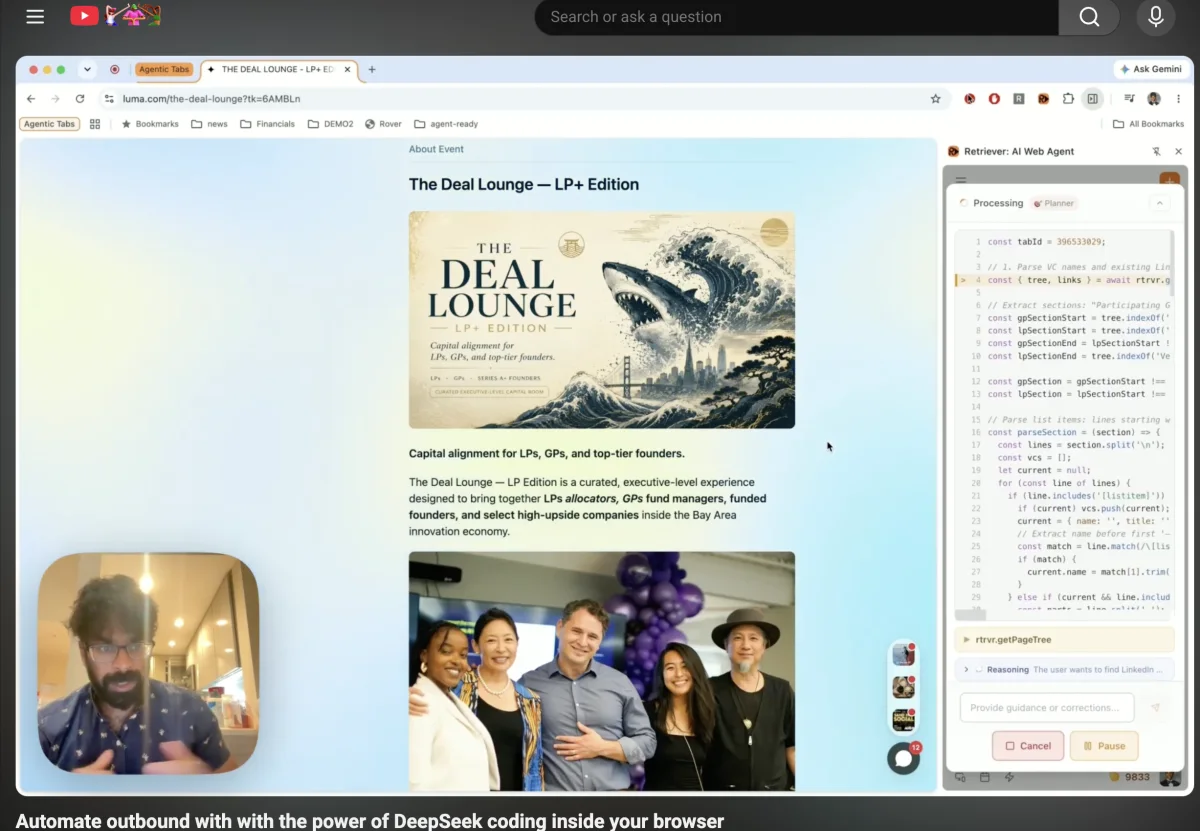
DOM + tools + intent -> DeepSeek Flash -> JavaScript plan -> rtrvr.* harness -> browser actionsCode-as-plan changes that. A workflow that used to be 40 to 100 model turns can become one planning call, a few targeted semantic extractions, and normal JavaScript doing the boring work at machine speed.
For Retriever, switching the hot path to DeepSeek Flash gave us over a 100x cost decrease while preserving the practical browser-agent performance we needed from Gemini Flash-class models.
That is not just a cheaper model swap.
It is a new bargaining position for every agent harness builder.
The bet
We made five architectural bets that now compound:
-
Text-only beats screenshot-first for cost and cacheability. The browser already has the DOM, forms, links, inputs, URLs, cookies, routes, and page text. Throwing that away and asking a vision model to rediscover it from pixels is expensive. Language is also a much more efficient sparse representation for this kind of work than raw pixels.
-
Code beats tool-call transcripts. Most browser work is loops, filtering, retries, URL construction, extraction, deduping, and structured output. Those are programming tasks. A for-loop should not cost tokens.
-
The harness is the product. If open models can write good code, the value moves from model access to the callable DSL:
getPageTree,find,click,type,pageAction,extract,processText,callTool,askUser, sheets, KBs, recordings, cloud scrape, pause, cancel, and logs. -
The authenticated browser is the runtime. Valuable automation needs the user's real session: SSO, cookies, CSRF tokens, extension permissions, selected tabs, service-worker state. Moving everything to a remote browser means recreating state the user already has.
-
Screenshots are a hidden trap. They make browser agents seductively easy to demo: treat every site like pixels, ask a vision model where to click, repeat. But pixels erase the structure the browser already has, introduce visual ambiguity, make state harder to verify, and turn every click, row, tab, and retry into a higher-cost model step.
DeepSeek Flash made this architecture cheap enough to become the default path.
My recommendation to anyone building agents is blunt: rewrite your harness to be text-only by default and callable through executable code. The model should generate a program against your capabilities, not babysit every loop iteration.
The old browser-agent loop is the bottleneck
A normal browser agent does this:
while not done:
  observation = observe_page()
  action = llm(observation, tools, history)
  result = run_tool(action)
This is simple to build and brutal to run.
Suppose the user asks:
Find every pricing page open in my tabs, extract the team plan, and add the ones over $100/mo to a Sheet.
A tool-loop agent pays the model to remember the loop invariant:
LLM: list tabs
Tool: tabs returned
LLM: inspect tab 1
Tool: page returned
LLM: extract plan
Tool: extraction returned
LLM: append row?
Tool: row appended
LLM: inspect tab 2
...
That is not intelligence. That is a slow JavaScript interpreter with a token meter attached.
The invariant should be code:
const tabs = await rtrvr.selectedTabs()
const rows = []

for (const tab of tabs) {
  if (!/pricing|plans|billing/i.test(tab.title + ' ' + tab.url)) {
    continue
  }

  const { tree, links } = await rtrvr.getPageTree({ tabId: tab.tabId })

  // The semantic DOM tree is text. Code can slice, regex, dedupe,
  // normalize currency, and join back to structured links before asking a model.
  const pricingText = tree
    .split('\n')
    .filter(line => /\$|pricing|plan|team|business|enterprise|per user|month/i.test(line))
    .join('\n')

  const { data } = await rtrvr.processText({
    textInputs: [pricingText || tree],
    taskInstruction: 'Extract the product name, team/business plan name, monthly USD price, and short evidence.',
    schema: {
      type: 'object',
      properties: {
        product: { type: 'string' },
        plan: { type: 'string' },
        monthlyPriceUsd: { type: 'number' },
        evidence: { type: 'string' }
      }
    }
  })
  const plan = Array.isArray(data) ? data[0] : data

  if ((plan?.monthlyPriceUsd ?? 0) > 100) {
    rows.push([plan.product, plan.plan, plan.monthlyPriceUsd, tab.url, plan.evidence])
  }
}

const { sheetId, sheetUrl } = await rtrvr.createSheet({
  title: 'Expensive team plans',
  headers: ['Product', 'Plan', 'Monthly USD', 'Source URL', 'Evidence']
})
if (rows.length > 0) await rtrvr.appendRow({ sheetId, rows })

return { summary: `Saved ${rows.length} plans over $100/mo.`, sheetUrl, rows: rows.length }
The model writes the loop once. The browser runs it locally. The harness keeps authority.
That middle part is the whole game. The agent treats the semantic DOM tree as a string and uses normal software tools on it. It can split sections, run regexes, normalize prices, dedupe URLs, use links for clean hrefs, and call processText only on the small slice that still needs judgment.
A vision-first agent can look at a pricing card. It cannot cheaply run tree.split('\n').filter(...) over the page.
DeepSeek breaks the lab tax
Agent harnesses do not need a theatrical model in the hot path.
They need a model that can read compact state, write reliable code against a constrained API, and get out of the way.
That is why DeepSeek Flash is such a big deal. It changes the default assumption from "use the most expensive multimodal model until the unit economics hurt" to "use a cheap open code-capable planner, then let the harness execute."
The old moat was:
better model -> more tool calls succeed -> premium API pricingThe new moat is:
better harness -> fewer model calls needed -> cheaper model becomes good enoughThat is a brutal inversion for the big labs.
If the agent runtime is one long LLM conversation, frontier providers own your margin. If the runtime is a harness and the model only compiles the plan, price/performance wins. The best agent stack starts looking less like "rent the biggest model for every step" and more like "use the cheapest model that can write the right program."
DeepSeek Flash undercuts the API tax exactly where browser agents were bleeding money.
This is why open weights matter so much for agents. The moment a model is good enough at harness code, hosting becomes a commodity optimization problem. Providers compete on latency, batching, quantization, cache behavior, geography, and price. The agent company stops being locked into a lab's product strategy.
That is the inversion: closed labs wanted developers to fund the next generation of first-party agents. DeepSeek hands developers a way to stop funding their competitors.
Cached text is the missing multiplier
There is one fair critique of text-only browser agents that most people miss:
cheap does not automatically mean fast.
If your architecture dumps 30,000 tokens of flattened DOM into the model on every step, you can win the invoice and still lose the user. Long pages carry a latency tax. Token-heavy sites can burn context before the task finishes. A screenshot can be more compact per turn than a careless text dump.
That is why the text-only argument cannot stop at "tokens are cheaper than pixels."
The real advantage is that text can be cached, sliced, and executed against.
DeepSeek's cached-input path is the sleeper feature here. On the official API, V4 Flash cache-hit input is priced at roughly $0.0028 per million tokens. More importantly, the stable parts of an agent harness are exactly the parts that cache well:
- the system instructions;
- the
rtrvr.*DSL surface; - the schema and task contract;
- previously observed accessibility trees;
- stable DOM/text prefixes from a page;
- repeated workflow context across retries and reruns.
Screenshots do not get the same clean caching story. A screenshot is an opaque blob of pixels. The model has to visually rediscover structure each time.
Text is different. Once the page is represented as a semantic tree, the agent can treat it like software input:
- slice the relevant section before calling the model;
- run regexes over prices, emails, dates, IDs, SKUs, and statuses;
- use
new URL(...)to construct deep links instead of clicking menus; - keep
MapandSetstate locally; - batch extract rows;
- send only deltas or narrow snippets back to the model.
That is the difference between "text-only" as a cheaper prompt format and "text-only" as an execution architecture.
The wrong text-only agent sends the whole page every turn.
The right text-only agent sends enough page state to generate code, caches the stable prefix, then lets the code manipulate the DOM/accessibility tree as strings and structured objects.
So yes: measure p95 per-step latency, not just the bill.
But also measure model turns per successful run, cache-hit ratio, context growth per step, and p95 end-to-end task time. Code-as-plan improves all of those because it removes the loop from the model in the first place.
The 100x is architectural
This is not "DeepSeek is magically 100x cheaper."
The cost curve changes because four multipliers move at the same time:
cost = turns * context_size * uncached_ratio * model_priceWe cut turns by compiling the workflow into code.
We cut context size by using DOM/text instead of screenshots.
We cut uncached ratio by reusing stable text prefixes.
We cut model price by moving the hot path to DeepSeek Flash.
For tasks where the old agent needed 40 to 100 model turns and the new one needs one planning call plus a few semantic extractions, end-to-end inference cost can drop by roughly two orders of magnitude.
The speed changes too. Tool loops are serial by design: observe, wait, think, act, wait, observe again. Code can iterate, filter, batch, retry, dedupe, and write outputs without asking the model for permission at every step.
That matters more than benchmark theater.
A demo can spend 80 model turns completing one checkout.
A product cannot spend 80 model turns every time a user wants to sync 500 rows, migrate a dashboard, audit 40 tabs, or run the same workflow every morning.
Production browser agents should be judged on cost per successful run and cost per 1,000 successful runs, not only "did it eventually click the right button once?"
What the harness gives the model
The model does not get raw browser authority.
It gets a constrained capability surface:
const { tree, links } = await rtrvr.getPageTree({ tabId })
const button = await rtrvr.find({ role: 'button', name: /upgrade/i }, { tabId })
if (button) await rtrvr.click(button, { tabId })
await rtrvr.type({ role: 'textbox', name: /email/i }, user.email, { clear: true, tabId })
await rtrvr.pageAction({ tool: 'goto_url', args: { url }, tabId })
await rtrvr.extract({ userInput, tabIds: [tabId], schema })
await rtrvr.processText({ textInputs: [tree], taskInstruction, schema })
await rtrvr.scrape({ urls })
await rtrvr.createSheet({ title, headers })
await rtrvr.appendRow({ sheetId, rows })
await rtrvr.callTool('slack.postMessage', payload)
await rtrvr.askUser({ questions, reason, checkpoint })
The generated program gets control flow.
The harness keeps authority.
That separation is the whole point.
The model can write:
for (const lead of leads) {
  if (lead.intent === 'enterprise') {
    await rtrvr.callTool('slack.postMessage', {
      channel: '#sales',
      text: lead.company + ' is asking about enterprise pricing',
      context: lead
    })
  }
}
But the model never sees raw Slack credentials. It gets a scoped slack.postMessage capability, mediated by policy, logged by the runtime, and revocable by the user.
Same for browser actions. The code can express:
const upgrade = await rtrvr.find({ role: 'button', name: /upgrade/i }, { tabId })
if (!upgrade) return { status: 'incomplete', reason: 'Upgrade button not found' }
await rtrvr.click(upgrade, { tabId })
The harness decides whether that click is allowed, whether it needs human confirmation, whether it should run in the selected tab or cloud, and how to recover if the element moved.
Code gets leverage. The harness keeps power.
Why text-only matters
Most browser agents are built like a player in a video game.
They look at a screenshot, infer where to click, wait for the page to change, and look again.
That is useful for compatibility. It is a bad default abstraction.
A webpage is not a bitmap. It is a live data structure:
- DOM tree;
- URL and route state;
- forms and inputs;
- ARIA labels;
- hidden fields;
- client-side storage;
- network calls;
- authenticated browser state;
- scripts that already know how the product works.
The killer detail is that our semantic DOM tree is text that code can operate on. Generated plans can do the boring, powerful things that make software cheap:
tree.split('\n')to isolate a section;- regex parsing for prices, emails, dates, SKUs, statuses, and IDs;
new URL(...)to build deep links instead of clicking through menus;Map/Setdeduping before any model call;- joining tree ids back to
linksfor clean names and hrefs; - falling back to
processTextonly for the slice that needs semantics.
Pixels are not a data structure you can filter, join, normalize, or regex without paying a model to rediscover the structure first.
If the agent's input is structured page state and its output is code, the right planner is a cheap, fast text/code model. You do not need a multimodal frontier model in the hot path for every step.
This was the long-term bet: browser agents would eventually become text-only and code-first.
The market is now saying the same thing. The models getting pulled into agent harnesses are not winning because they can look at prettier screenshots. They are winning because they can read long text context, write code, preserve loop state, and call tools cheaply.
DeepSeek Flash made the bet obvious.
Why this is not just Playwright generation
Playwright is great when you own the environment.
Browser agents usually operate inside a user's logged-in browser, across arbitrary sites, with real cookies, SSO, CSRF, selected tabs, extension permissions, and local files.
If every workflow moves to a remote Playwright worker, you have to recreate that state: export cookies, sync profiles, proxy requests, or ask the user to log in again inside a cloud browser.
Sometimes cloud is the right runtime. We run cloud browsers too.
But the differentiated path is this:
execute next to the browser state when the browser state already exists.
The generated code is not generic Playwright. It is code against a browser-aware harness that can use the live tab, call cloud scrape when needed, route file uploads correctly, cross iframes and shadow DOM, stream console output, pause, cancel, and ask the human before irreversible side effects.
The artifact is better
A transcript agent leaves behind 60 opaque tool calls.
A code-as-plan agent leaves behind a program.
You can read it.
You can diff it.
You can rerun it.
You can cache it.
You can turn it into a subroutine.
That was the core of our earlier AI Subroutines launch: repetitive browser work should become scripts, not repeated inference.
Code-as-plan is the same idea one level earlier. Instead of recording the script manually, the model writes it from page context and intent.
TL;DR
DeepSeek Flash is a game changer because it attacks the most expensive part of agent harnesses: repeated reasoning over boring control flow.
The big labs trained developers to pay premium API rates for what was often just runtime. Those API margins subsidized their own first-party agent products. DeepSeek makes that tax look optional.
Browser agents have felt slow because they were slow: screenshot loops, serial tool calls, and an LLM pretending to be a CPU.
The inversion is:
closed model lab owns runtime -> developer rents every step
open code model writes plan -> developer-owned harness runs the work
Code-as-plan changes the shape:
- text-only DOM context instead of screenshot loops;
- cached input tokens for stable instructions, DSL docs, and repeated page state;
- semantic DOM trees that code can parse with strings, regexes, URLs, maps, and sets;
- DeepSeek Flash as the cheap code-capable planner;
- generated JavaScript plans instead of tool-call transcripts;
rtrvr.*as the authority boundary;- local browser execution when auth/session state already exists;
- no screenshot loop hiding inside the default path.
That turns the model from an expensive runtime into a cheap compiler.
And once the model is a compiler, browser agents stop feeling like demos and start feeling like software.
The next generation of browser agents will not browse like humans. They will read the web like programs.


