
 Add to Chrome
We spend enough time deciding what to eat or what to watch on Netflix. Using AI adds another decision: what should I ask it to do?
Before an agent can save you time, you have to spot the repetitive work, decide what to automate and explain the task.
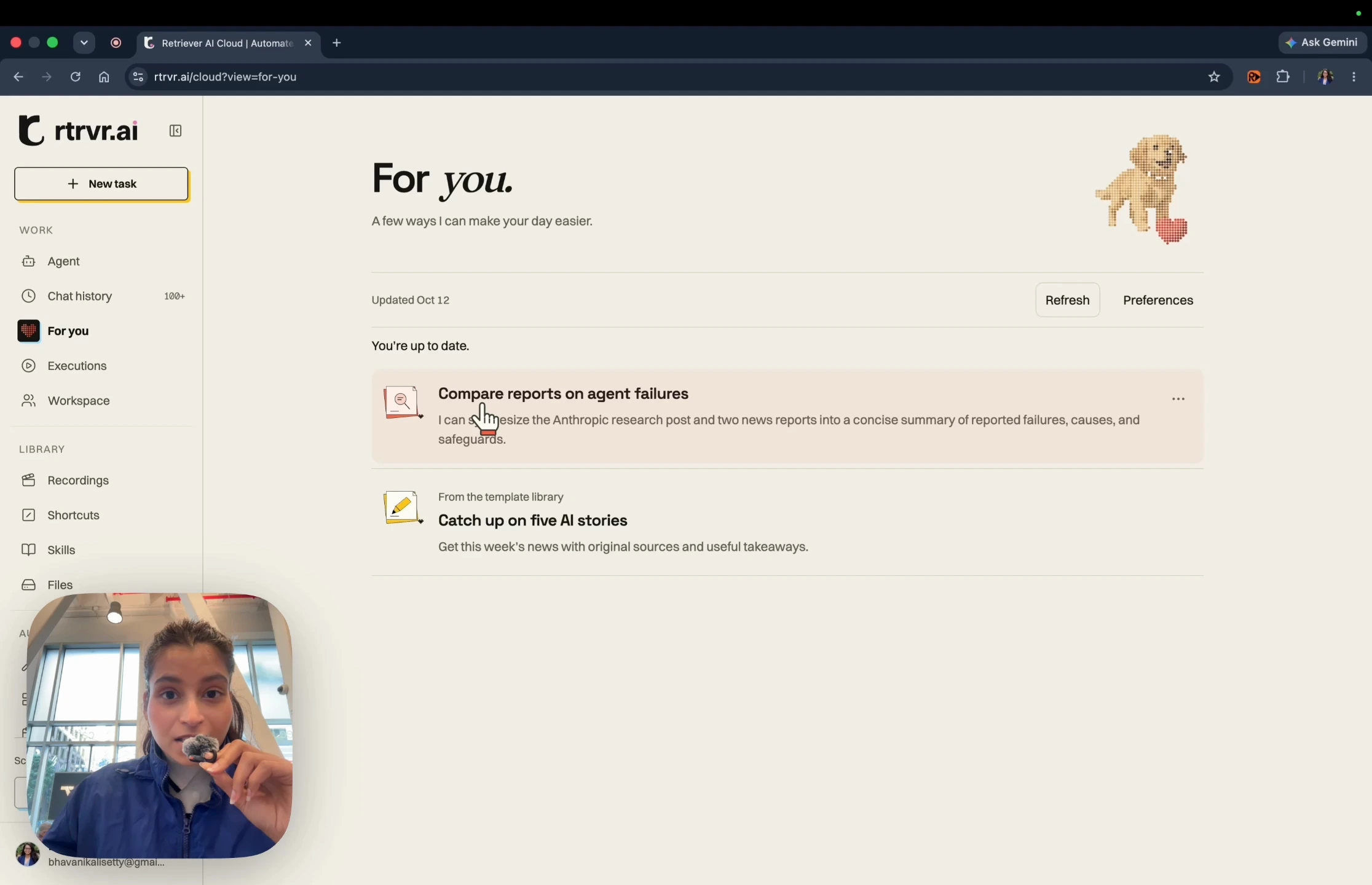
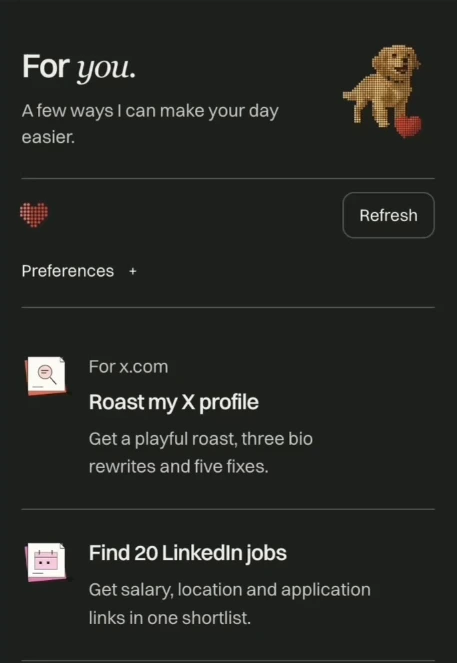
We built For you to make that first step easier. The feed suggests complete workflows you can hand off to Retriever AI, with a task prompt you can review and edit. It’s available in Retriever Cloud and our Chrome extension.
For you in Cloud and Chrome
Watch the one-minute demo.

A feed of workflows you can run
In the demo, my feed suggests comparing reports on agent failures. It uses my recent activity to spot a research task I could hand off. The feed also includes templates for jobs you might want to try:
- Catch up on five AI stories. Find recent stories, check dates, group duplicate coverage and return a brief with original sources.
- Find 20 LinkedIn jobs. Ask for your role and location, collect listings, remove duplicates and return salary information and application links in a shortlist.
- Find the best price. Compare a product across five stores, including shipping, stock and returns.
Each suggestion spells out the work and the result to aim for. Open an idea, adjust the request and start the agent when you’re ready.
Why we’re betting on AI feeds
Nicolas Bustamante predicts that “the AI feed will be the form factor of 2027.” People already know how to browse a feed. Asking them to invent an agent workflow adds work before they get any value.
We share that bet. An AI product should help you recognize what it can do for you. A relevant suggestion, with the request already prepared, gives you a way to try it.
Choose the context behind your suggestions
For you uses recent Retriever activity to prepare personal ideas. The extension also shares open-tab titles and URLs by default. You can turn this off in Preferences. Browsing history requires a separate opt-in through Chrome.
You can change those settings, exclude sites, or clear your For you context. When personal ideas aren’t ready, the feed offers clearly labeled starter templates so you can still try a task.
The For you guide explains the sources, controls and setup.
Try For you
Open For you in Retriever Cloud or the Chrome extension. Choose a task, review its prompt and select Let’s do it when you’re ready.
You can try supported tasks at no charge in Free Mode, funded by sponsored cards, with a daily fair-use allowance. See what’s included.


