
 Add to Chrome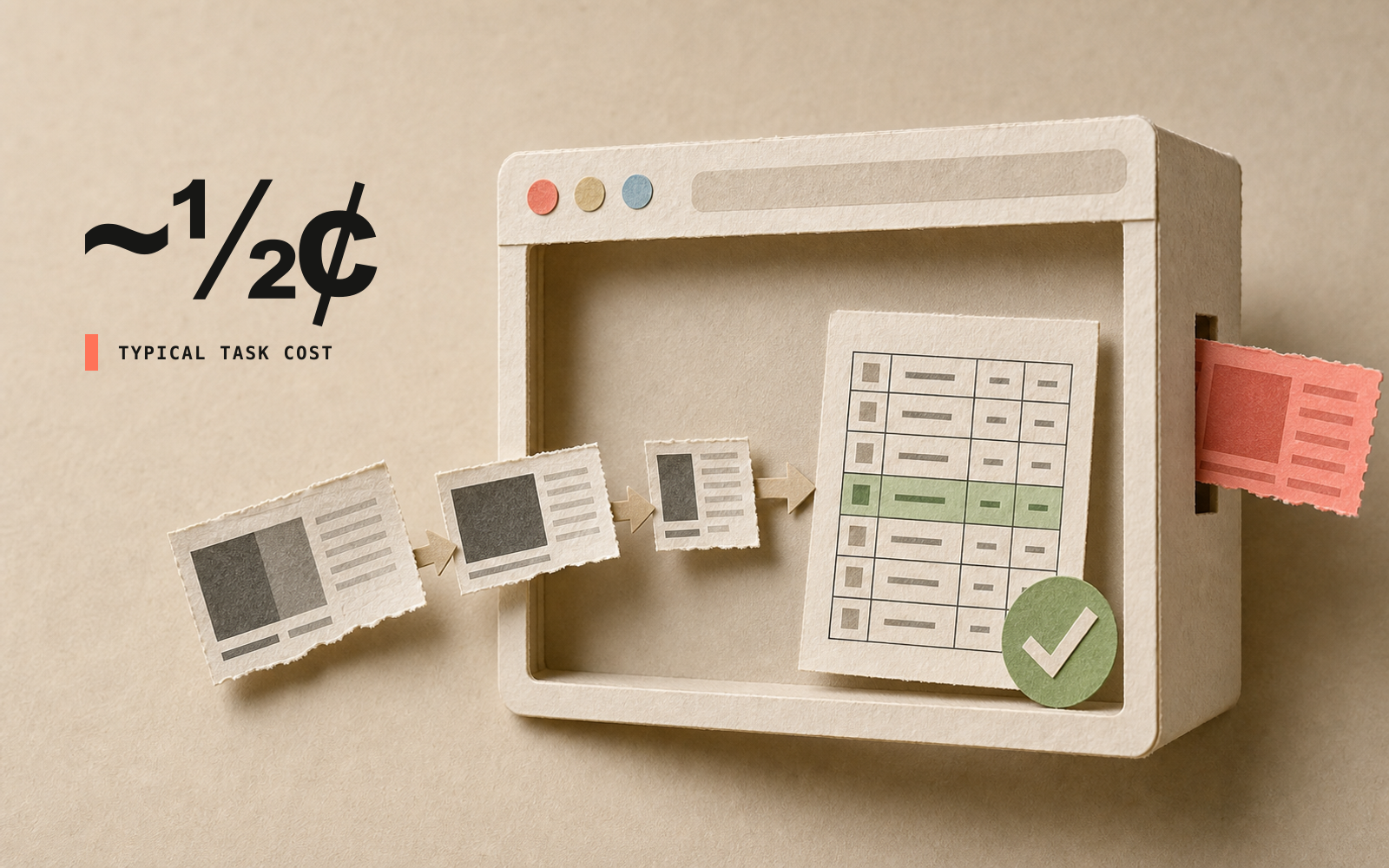
Retriever AI is free to use in Chrome and Cloud. Free Mode includes supported AI models and Cloud browser time for tasks you start in the extension or Cloud dashboard. No AI API key or paid AI subscription is required. Sponsored cards and a daily fair-use allowance apply. You do not need your own API key to start.
What you get for free
Free Mode is ongoing. It is separate from the one-time welcome credits on a new account. The model picker shows the supported models; your account shows the current daily allowance and reset time.
Your account shows the current allowance and reset time. When you reach it, wait for the reset, use your own AI provider, or choose a paid plan. Your provider may charge for its usage.
Schedules, triggers, cookie sync, and Chrome control through API or MCP require a paid plan. Data enrichment and managed proxies can use credits separately. API and WhatsApp runs use credits for the resources they consume. Chrome control through API or MCP requires a subscription. Free Mode applies to interactive tasks in the extension and Cloud dashboard. Using your own AI provider avoids model-credit charges and the Free Mode allowance. Cloud resources and managed services may still use credits. Sponsored cards still appear on the free plan. Paid plans offer ad-free runs.
Chrome and Cloud have different data terms
Free Mode involves sponsored content in both the Chrome extension and Cloud, as described in the Terms and Privacy Notice. Review the Free Mode terms and Privacy Notice before your first run.
Try one small task
Add the Chrome extension, sign in, and open the page you want to use. Choose a supported Free Mode model and review the first-run disclosure. Try collecting five listings with a source URL for each. Check those rows against the page before collecting more.
For a ready starting point, use the website-data prompt or document-to-form example. Compare free and paid plans if you need schedules or ad-free runs.
The engineering behind the original launch
The cost figures and traces below describe the engineering work reported in August 2026. They are examples from that work, not a per-task price or a guarantee for every model and site.
That sentence took a lot of unglamorous work to earn, because a browser agent is an expensive thing to operate. It reads a page, decides, reads again, decides again — and every one of those reads is tokens. When a task costs a dollar, a subscription is the only model that works, and the only user you can serve is one who has already decided they need you.
A task now costs us about half a cent. At that price the economics invert. Advertising can cover inference, and the agent can be free for everybody.
Three things got the number there, and they are the same three things that make the agent good: a page representation that is a fraction of the size of a screenshot, a planner that writes whole programs instead of clicking one step at a time, and a prompt laid out so our model provider charges us fifty times less for the parts it has already seen.
This post is the first of those in detail, and how the other two fall out of it.
The short version: it never sees your screen. There is no screenshot in the loop. What the model receives is a compact, semantic tree of the page in which every element carries a number, and the only way it can act is by naming one of those numbers.
Here is a real slice of one, captured while the agent was filling in an Ashby job application:
[textbox][editable] Name * [id=61] [required]
[textbox][editable] Email * [id=66] [required]
[textbox][editable] GitHub * [id=85] [required] [placeholder="Type here"]
[button] Yes [id=90]
[button] No [id=93]
[textbox][editable] Tell us about an evaluation system you designed [id=97]
[button] Submit Application [id=112]
That is the state. Not a description of the state — the actual bytes the model reads. And when the agent clicked "Yes", the trajectory recorded element_id: 90. You can join the action back to the exact line it touched, which is a property screenshots simply do not have.
Why not screenshots?
Three reasons, in order of how much they cost us.
The viewport is a lie about the action space. One of our sample captures is an Amazon search results page. That single page is 8,699 nodes and 1,137 link targets. A screenshot of it shows maybe three percent of that, and the agent has to scroll blindly to discover the rest — burning a round trip per scroll, and never quite knowing when it has seen everything. Our tree has the whole page in one observation regardless of scroll position.
Pixels aren't addressable. If a model outputs "click at (840, 312)", that instruction is worthless the moment a banner loads, a font renders differently, or the window is a different size. An element id is bound to an element, not a location.
Images are expensive and lossy. A high-resolution screenshot costs a lot of tokens to encode a page whose meaningful content is a few thousand characters of text and structure.
So the whole problem becomes: how do you build a representation that keeps everything a human could interact with, throws away everything else, and stays stable enough to act against?
Step 1: instrument the page before it runs
Here is the part most people find surprising. We do not read the page after it loads. We get there first.
At document_start — before the site's own JavaScript executes — we install a small hook in the page's main world that wraps two browser primitives:
EventTarget.prototype.addEventListener   // who is listening, and for what
Element.prototype.attachShadow           // where the shadow DOM is
Every call passes straight through to the native implementation; we just take a note first. (We also mask toString on the wrappers, because a surprising number of sites check whether native functions have been tampered with.)
That note-taking is what makes the rest work.
Knowing what is actually interactive
The DOM tells you an element is a <div>. It does not tell you that the div is a button. On a modern site, most of what you click is a div with a click handler bolted on by a framework.
Because we recorded every addEventListener call as it happened, we know exactly which elements have handlers and for which events — click, pointerdown, keydown, drop, and about forty more. We also attribute where the listener came from, with a bitmask covering native, inline, React, Vue, Angular, Svelte, jQuery, and delegated handlers, so a React onClick bound way up the tree still resolves to the thing you would actually click.
Reaching into closed shadow roots
Web components can attach a shadow root in closed mode, and by design there is then no API to get at it from outside. If you try to read the page afterwards, that content does not exist for you.
But at the moment attachShadow({mode:'closed'}) is called, the root is right there as the return value. Because our hook is installed before any of the site's code runs, we keep a reference. Closed shadow roots, open shadow roots and same-origin iframes all get walked and folded into one tree — which is why the agent can drive design-system components and embedded widgets that other tools cannot see at all.
Giving every element a number
Each element that survives the filter gets an id from a WeakMap<Element, number>, and that id is written back onto the element as an attribute. Two things follow:
- The number in
[id=61]and the DOM node are the same binding. When the model later sayselement_id: 61, we look the element up directly — no selector to go stale, no coordinate to drift. - The map is a
WeakMap, so it never keeps a detached node alive, and it is reset per capture. Ids are stable within an observation, not global forever.
Step 2: turn instrumented DOM into a readable tree
The extension ships the raw semantic nodes; the tree text is rendered server-side. That split matters, because accessible-name computation — the ARIA algorithm that decides a button's name is "Submit Application" and not btn-primary-lg — is genuinely intricate, and we would rather run it in one place than in every browser.
The renderer does four things worth knowing about.
It computes real accessible names. Not the class, not the id attribute, not the raw text dump — the name a screen reader would announce, which is very often the name a human would use in an instruction.
It only annotates what the role doesn't already imply. Each role has a default action the model can safely assume:
| Role | Assumed action |
|---|---|
button, link, tab, menuitem | click |
textbox, searchbox | type |
checkbox, radio, switch | toggle |
combobox | click→select |
slider, spinbutton | adjust |
We only spend tokens on an [actions=…] annotation when the listeners we recorded say something the role does not imply. That is why you see lines like this in real captures:
[button][actions=drag-drop] Deliver to … [id=72]
[textbox][read-only][actions=click→type:focus-first] … [id=113]
The first is a button you can also drop onto. The second is a field that looks read-only but takes input once you click it first. Neither is inferable from the role — so we say it, and stay quiet everywhere else.
It keeps hrefs out of the tree text. Links live in a separate record keyed by element id. The model is shown an enriched view with the URLs inline, but the stored observation stays lean and byte-stable. That matters more than it sounds: prompt caching only pays out if the bytes are identical to last time, and a tree that re-serializes differently on every capture quietly costs you fifty times more.
It records where the observation came from. Every capture stores the id of the previous observation in the same run. Chain those together and you get a state graph for a site: nodes are page states, edges are the actions between them.
Step 3: the model writes a program, not a click
This is the piece that most changes the economics.
The obvious way to build a browser agent is a loop: look at the page, decide one action, do it, look again. Every step is a model call. A twelve-step form is twelve round trips, each re-reading the whole page.
We do something different. The planner reads one observation and writes a JavaScript program against it. Here is a real excerpt from the Ashby run — this is the model's own output, not something we wrote:
const tryFill = async (target, value, label) => {
  const el = await rtrvr.find(target, opt);
  if (!el) return;
  await rtrvr.type(el, value, { clear: true, ...opt });
  filled.push(label);
};

await tryFill({ role: 'textbox', name: /^Name/i },  'Arjun Chintapalli',    'Name');
await tryFill({ role: 'textbox', name: /^Email/i }, 'arjun.ch@gatech.edu',  'Email');
await tryFill({ role: 'textbox', name: /GitHub/i }, 'https://github.com/…', 'GitHub');
await tryClickId(90, 'Bay Area: Yes');
Note that the planner writes semantic targets — {role:'textbox', name:/^Name/i} — rather than ids, wherever the page might have shifted. The sandbox resolves each one against the live page at call time, and we store what it resolved to. In that run, /^Name/i resolved to [id=61], and the stored step records both the selector the model wrote and the id it landed on.
The whole program ran as one planner pass driving twelve browser calls, with no model round-trips in between. That is why the run cost about a cent instead of a dollar, and finished in seconds instead of minutes.
When a step is genuinely too dynamic to script blind — a search result you have to identify, a checkout that changes shape — the program hands off to rtrvr.act, a sub-agent that does run the classical one-observation-one-decision loop. So a single trajectory has both: a program-writing policy at the macro level, and a per-step decision policy at the micro level, each recorded separately.
Step 4: make the provider charge us less for what it has already read
Everything above shrinks how much the model has to read. The last piece is making the reading itself cheaper.
A browser agent is close to the ideal case for prompt caching. Look at a page, act, look again — and between those two calls, the overwhelming majority of the context is byte-for-byte identical. The system prompt, the tool definitions, the task, the history so far. Providers will serve those repeated prefixes from cache at a steep discount, but only if the bytes match exactly, and only if the unchanged part sits at the front.
So we rebuilt the prompt around that constraint: squashing prompt variants down to one, ordering every segment by how likely it is to change, and moving anything volatile to the very end. It sounds obvious written down. In practice, the details are vicious — a stray timestamp anywhere in the prefix costs you the entire cache, flipping to JSON mode breaks it outright, and indenting a tree with tabs instead of spaces quietly inflates it by twenty percent.
It is also why the tree renderer keeps hrefs in a separate record instead of inlining them into the tree text: the stored observation stays byte-stable across captures, so the same page serialises the same way every time.
Our cache hit rate went from 24% to 87%, and repeat tokens now cost about fifty times less than fresh ones. Combined with the program-instead-of-round-trips design, that is what turns a dollar into half a cent. The full teardown, including the mistakes, is here: Nothing but the cache: killing our token bill by 90%.
Step 5: let advertising pay for it
Half a cent a task is the number that makes a free agent possible, because it is comfortably inside what a single relevant sponsored placement is worth.
Free Mode now covers supported AI inference and Cloud browser time. Sponsored cards help fund it. The daily allowance limits funded usage; the current offer and separate Cloud data terms are described above.
Paid plans offer ad-free runs. Bringing your own API key changes who pays for the model call; it does not remove sponsored cards on the free plan.
The reason to do it this way is that the alternative is worse. A subscription-only agent is a tool for people who already know they want an agent. We would like the answer to "should I automate this?" to be "just try it", and that requires the marginal task to be free.
What this buys you
If you use Retriever, the parts you feel are downstream of all of the above:
- It sees below the fold. Extraction tasks do not silently stop at whatever was on screen.
- It works on components other tools can't touch. Closed shadow roots and same-origin iframes are in the tree.
- It types into editors that fight back. Because we know which listeners a field really has, we can drive rich text and framework-managed inputs instead of firing events into the void.
- It is cheap enough to run on a hundred rows. Programs instead of round trips is most of that.
- It leaves a readable record. Every run stores what was seen, what was decided, and what was resolved.
The trajectories
There is a side effect of building the agent this way that we did not fully appreciate until we went looking at what we had.
Because the observation is a tree of numbered elements and the action is the name of one of those numbers, every run leaves behind a record that can be replayed exactly. Not "the agent clicked something that looked like a Submit button" — the specific line of the specific observation it acted on. A stored run carries the planner's reasoning and the program it wrote, then, for each sub-agent decision, the id of the tree it was looking at, the reasoning for that decision, and the resolved tool call with its real arguments. Failures are kept verbatim rather than tidied away, so a dead element id followed by the model noticing on the next observation and recovering is preserved as a unit. Outcomes are labelled at three levels: per action, per step, and per task.
The part we think is genuinely interesting is that these observations chain. Every capture stores the id of the one before it, so a single run is a path through page states — and across many runs on the same site those paths merge into a graph, where nodes are states and edges are the actions between them. That is most of what an RL environment needs, assembled as a by-product of doing the work, without reverse-engineering anybody's website.
So we have published three complete production runs in full — an ATS job application, a LinkedIn outreach, and an Amazon purchase that stops mid-run to ask a human before spending money. Every accessibility-tree observation is included: 18 observations, 39,786 tree nodes, 5,777 link targets. You can step through each run, read the planner's reasoning, and click any element id to jump to the exact tree line it touched.
What we most want to build from this is not another leaderboard, but an evaluation set modelled on what people genuinely do in a browser — the task shapes, horizons and failure modes we actually see, rather than the tidy ones that are easy to score. Long single-page forms with heterogeneous fields. Extraction where the hard part is knowing when you have seen enough. Flows where the correct behaviour is to stop and ask before acting.
We are designing it now and would rather do it in the open. If you work on agent evaluation or RL environments, or just have strong opinions about what such a set should measure, we want to hear them — arjun@rtrvr.ai.


