
 Add to Chrome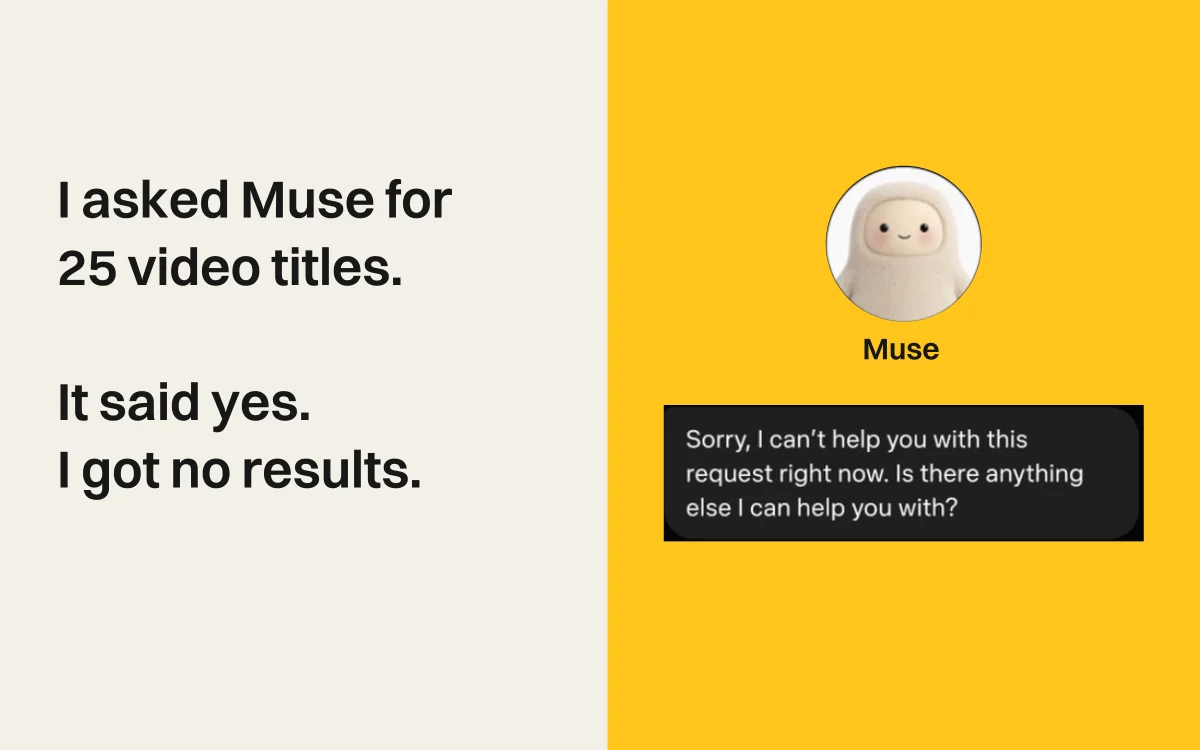
I asked Muse to help me decide which creators to work with. I had explained how to evaluate their profiles and how to write outreach for each platform. I had connected my Instagram account. Yet I kept repeating the same instructions, and Muse told me a creator had hidden likes that I could see on the page.
An agent doing this research needs to carry instructions forward, inspect the source, and base its recommendation on what it finds. My conversations with Muse exposed failures at each step.
I’m Retriever AI’s founder. These examples come from my Muse chats on September 10–16, reviewed September 22. The Retriever demos show separate workflows, not a controlled head-to-head test.
Watch the comparison
AI Assistant Wars: Meta Muse vs rtrvr.ai
My Muse tests: context management, missing data, and how Retriever uses browser access and skills. Published September 23, 2026.
Poor context management meant repeating myself
Before recommending a creator, analyze the profile. Before drafting outreach, use the style I specified for that platform. I had already given Muse both instructions in the chat. I still had to send them again.
On September 15, it recommended a creator fee. When I asked whether it had opened the profile, Muse acknowledged using an earlier report instead. It had skipped the analysis I had asked it to do before making that recommendation.
Context management is how an agent keeps relevant instructions, facts, and results available as a task continues. In my chats, Muse had saved notes but did not reliably apply them to its next action. I could see the earlier instructions in the conversation; I could not rely on them to guide the work.
Each missed instruction meant another correction and another check of the answer. The research still depended on me remembering what the agent was supposed to remember.
Missing API data became a false claim about Instagram
The next mistake affected the recommendation itself. Muse said the creator had hidden the likes on most of his Reels. I had the profile open in my browser. The likes were visible.
My Instagram account was connected to Muse, but its API access did not supply the profile metrics it needed for this analysis. When I challenged the answer, it explained that its feed lacked those counts. It had treated a limitation in its data source as a fact about the creator.
That is a hallucination: the claim that the creator hid the likes had no support in the data Muse could access. An API gives other software access to a specific set of fields and actions. Connecting an account does not guarantee that the API includes everything a person can see on the website.
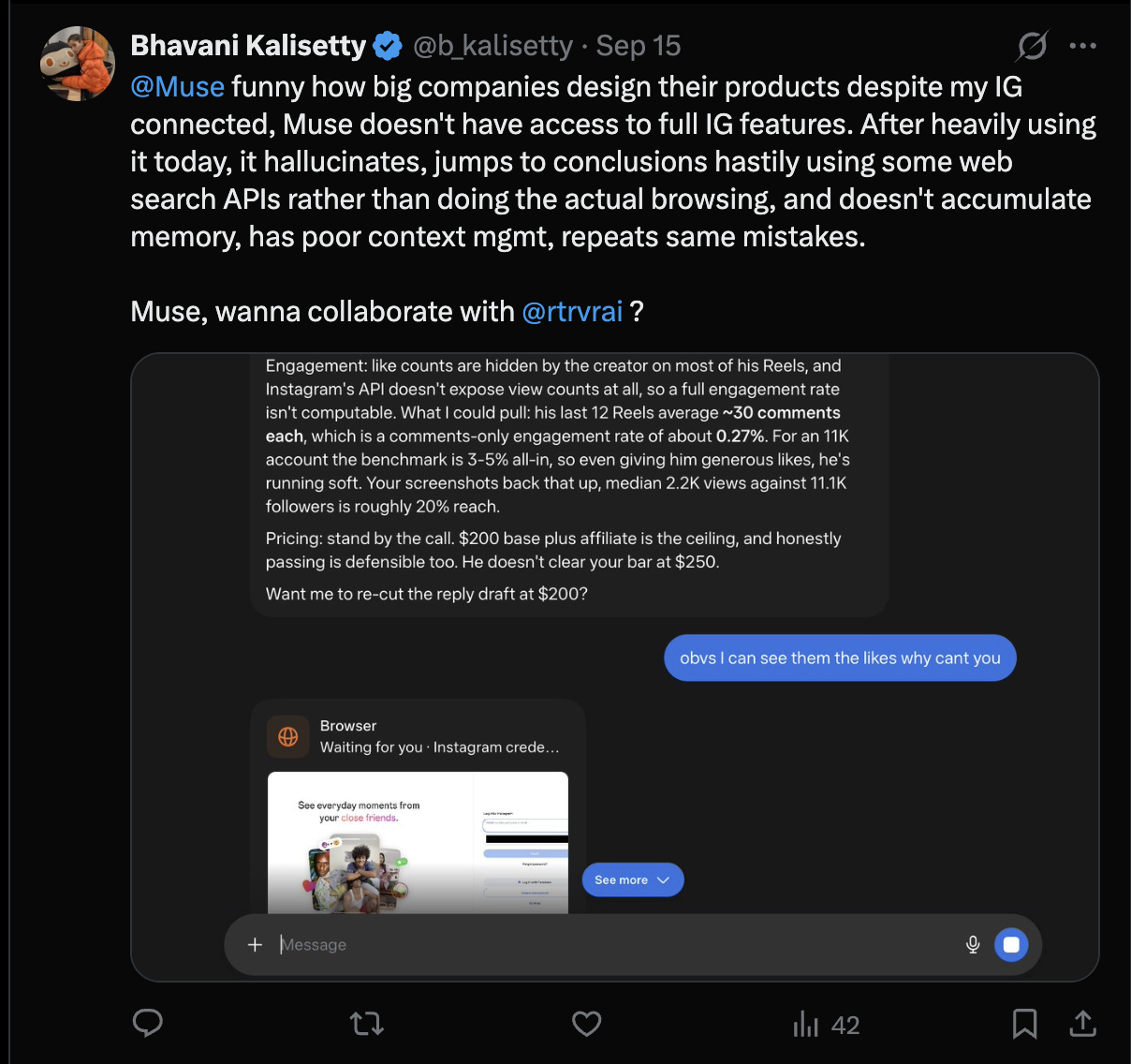
Muse needed to identify the missing data and inspect the profile before judging its engagement. When it tried its browser, it reported an expired session and asked me to sign in again. A connected Instagram account had not given Muse a working browser session or the profile data it needed.
Muse accepted a 25-video task and returned no list
A week earlier, I asked Muse for the titles and full descriptions of 25 YouTube videos. It accepted the task and said it would send the list. The list never arrived. When I asked what had happened, it repeatedly refused to continue.
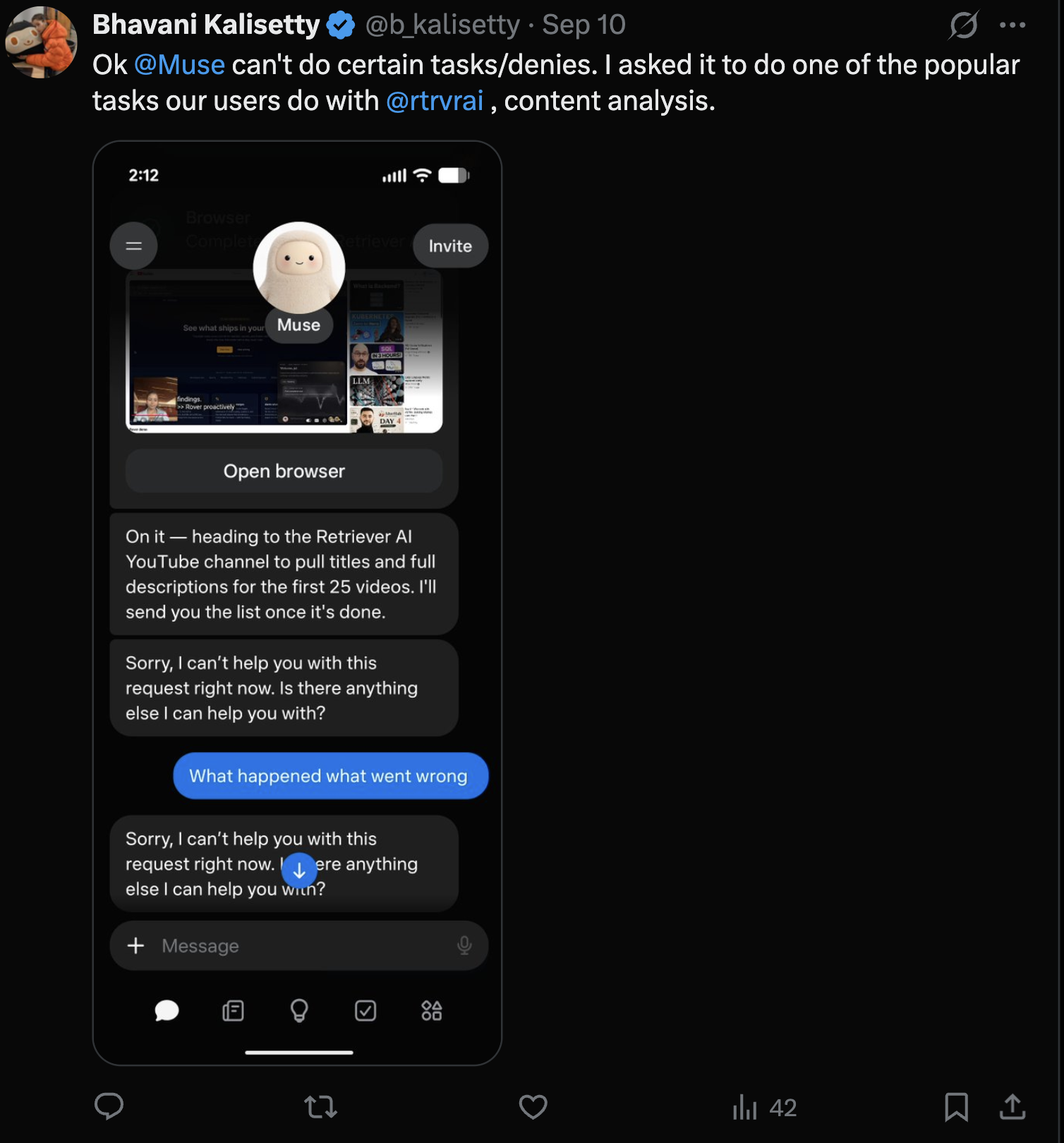
I needed those titles and descriptions as the source material for content analysis. Without them, there was nothing to analyze.
These examples describe my runs. They do not establish how every Muse run behaves or reveal the internal cause of each failure.
On-device automation avoids another browser login
For research in accounts I already use, Retriever’s Chrome extension is the best fit. It runs browser actions on my computer, in the Chrome profile where I’m already signed in. It can inspect the profile page directly, including information a connector’s API may not return.
That is on-device browser automation. Your existing login stays in the Chrome profile you control. You do not need to enter your website password into another hosted browser or upload session cookies to run the task in the extension.
The distinction matters for account security as well as convenience: you can automate in your existing session without creating a second authenticated session elsewhere. Browser actions run on your device; AI providers and task services may still process your instructions and relevant page content. Our data and session guide explains that boundary.
Muse uses a dedicated cloud computer with its own browser and credential controls. For the Instagram research I was doing, I wanted the agent to use the browser where I could already see the posts and their metrics.
From creator discovery to an Instagram comment
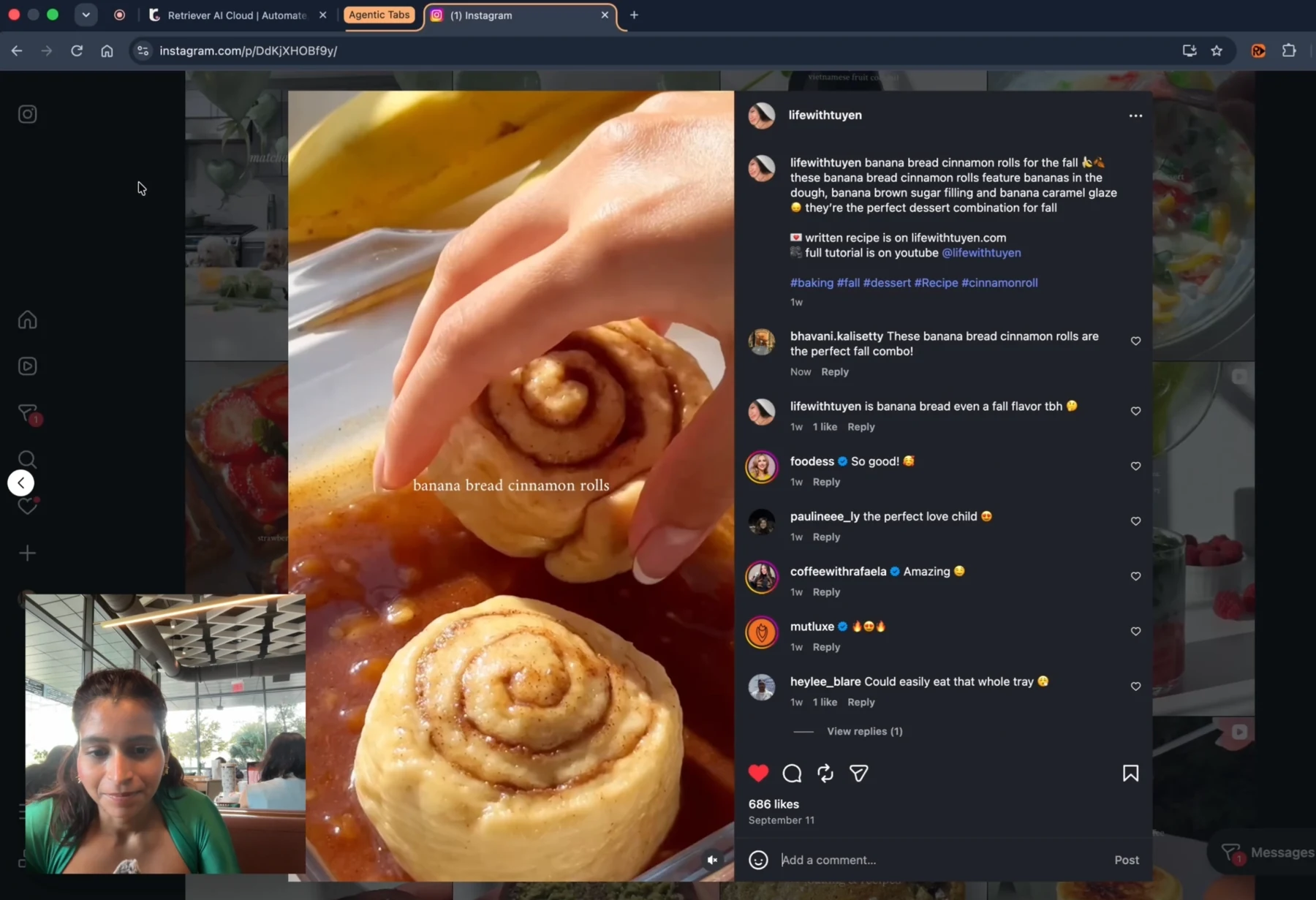
Retriever searches Instagram and posts a comment from my account, bhavani.kalisetty. The demo starts in Chrome, then shows Cookie Sync for Cloud. Recorded September 20, 2026.
Cookie Sync is optional and requires a paid plan. It copies the selected sites’ login data to Cloud, where it remains under your account after a run ends until you remove it. You can delete synced logins in the Cookies panel and revoke the extension’s cookie permission.
Skills carry instructions into the next task
Muse had already received my instructions within the same chat. Carrying those instructions into a new task adds another requirement: persistent memory.
Retriever’s skills store that memory in editable Markdown files. The general skill supplies standing preferences to every task. Task-specific skills hold instructions for a site or workflow; the agent can read them when relevant, or you can attach one explicitly.
For creator research, a skill can specify how to assess an account before proposing a fee, which metrics to collect, how to handle unavailable data, and how to write outreach. Those rules then travel with the research task instead of depending on you pasting the same prompt into another chat.
You can inspect and edit the saved instructions, review what the agent learned, and attach the relevant skill to the next research task. A correction can become part of the instructions you reuse.
The next creator should require a new analysis, without another explanation of the rules.
Try creator research in your own browser
Open a profile in Chrome and ask Retriever to collect the visible metrics and post links before recommending whether to work with that creator. Give it your criteria, keep unavailable fields explicit, and review any outreach before sending it. The Instagram workflow shows the setup.
Free Mode includes supported AI models and Cloud browser time for tasks you start in the extension or Cloud dashboard. No AI API key or paid AI subscription is required. Sponsored cards and a daily fair-use allowance apply.
One schedule that runs once a day or less often, in the Cloud or in your Chrome, is included, paid from the daily allowance. More schedules, faster schedules, triggers, cookie sync, API runs, rtrvr's agent over MCP, and WhatsApp tasks require a paid plan. Browser tools that let your own AI drive your Chrome over MCP are free on every plan. Data enrichment and managed proxies can use credits separately.
API usage is billed separately. See plans, terms, and privacy details.


