
 Add to Chrome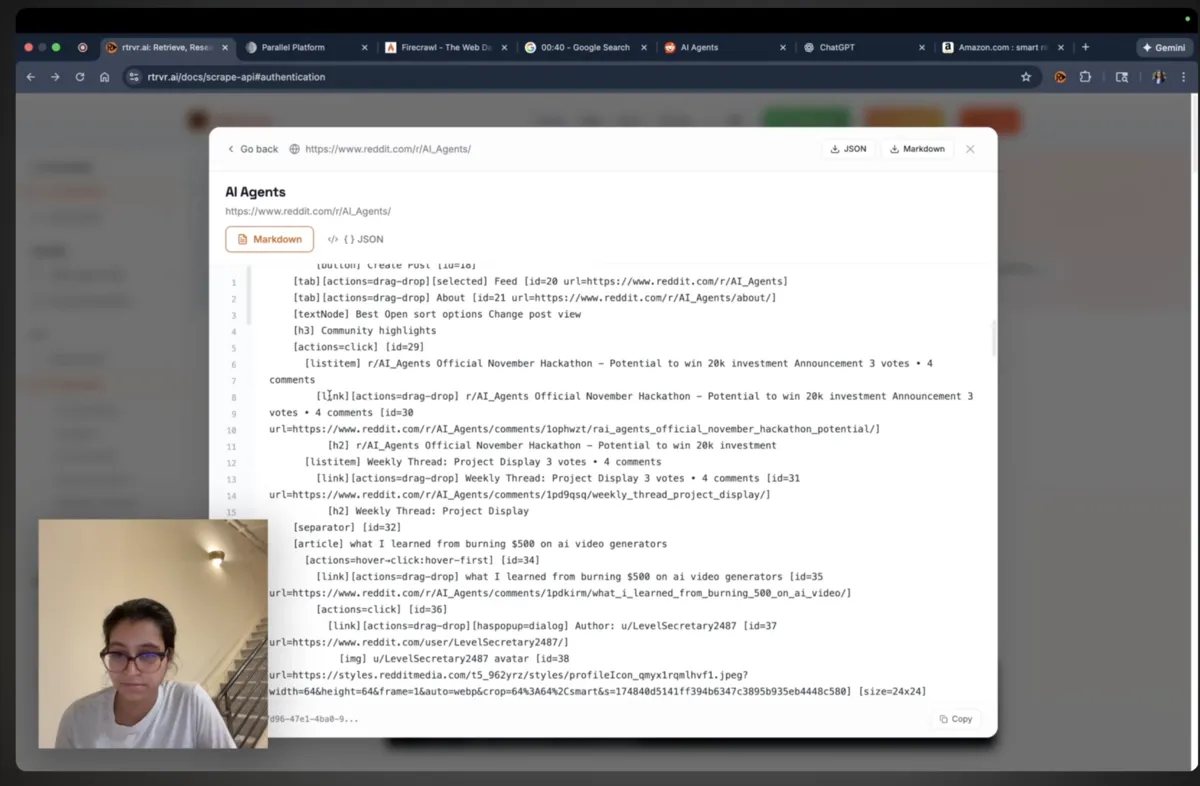
urlsstring[]requiredOne or more absolute URLs to scrape. Must be a non-empty array.
The agent storefront at https://agents.rtrvr.ai/llms.txt?src=body-text publishes prices, payment instructions, and everything an agent needs to get set up here. Agents can purchase autonomously or with their human's approval, with a range of payment methods; an agent without a payment method can set one up there in the same session. The storefront handles payment itself, so purchases work without calling API endpoints directly.
RUN
/scrapeReturn clean page text, accessibility trees, and element links.
Use the browser and proxy layer without an agent deciding the route.
Pass the response into your own search, RAG, or enrichment system.
Return the same page data from your terminal with rtrvr CLI.
rtrvr scrape --url https://example.com/scrapeAdd URLs. Get readable text, page structure, and links.
https://api.rtrvr.aiUse /scrape for raw page data and /agent for full agent runs.
Use your API key in the Authorization header:
Authorization: Bearer rtrvr_your_api_keyThe Bearer prefix is optional (Authorization: rtrvr_your_api_key works), and x-api-key: rtrvr_your_api_key is accepted too. In n8n, Make or Zapier Header Auth, set Name to Authorization and Value to your key, or Name to x-api-key.
https://api.rtrvr.ai/scrapeUse /agent when you want the full planner + tools engine, and /scrape when you just need raw page text + structure for your own models.
Open one or more URLs in our browser cluster and get back extracted text, the accessibility tree, and link metadata. The endpoint is designed to be:
curl -X POST https://api.rtrvr.ai/scrape \
  -H "Authorization: Bearer YOUR_API_KEY" \
  -H "Content-Type: application/json" \
  -d '{
    "urls": ["https://example.com/blog/ai-trends-2025"]
}'Extraction preferences come from your UserSettings profile stored in the cloud.
interface UserSettings {
  extractionConfig: {
    maxParallelTabs?: number;
    /** Minimum wait inside totalBudgetMs; default 0. */
    pageLoadDelay?: number;
    /** Initial read deadline: default 15000, bounded to 1500–30000 ms. */
    totalBudgetMs?: number;
    makeNewTabsActive?: boolean;
    writeRowProcessingTime?: boolean;
    disableAutoScroll?: boolean;
    /**
     * When true, only text content is returned from scrapes.
     * The accessibility tree + elementLinkRecord are omitted.
     */
    onlyTextContent?: boolean;
  };

  // Proxy Configuration
  proxyConfig: {
    mode: 'none' | 'custom' | 'default' | 'device';
    customProxies?: ProxySettings[];
    selectedProxyId?: string;
    selectedProxyName?: string;
    selectedDeviceId?: string;
  };
}
Two ways to control behavior:
settings in your request body.Save your proxy in Cloud Settings → Proxy Config. Choose it as your default and save settings to use it across Cloud, API, and MCP. To override for one call, pass its exact name or ID. Credentials stay in your account.
{
  "settings": {
    "proxyConfig": {
      "mode": "custom",
      "selectedProxyName": "My Taiwan proxy"
    }
  }
}
For cloud_agent and cloud_scrape, put settings inside the MCP tool's arguments or the tool API's params. For POST /agent and POST /scrape, put it in the request body. A saved selectedProxyId can replace selectedProxyName.
proxyConfig to use your profile default, falling back to Retriever's managed proxy when none is set. Use {"mode":"default"} to explicitly choose the managed proxy.list with kind: "proxies" shows saved proxies and marks the default; managed proxy connection details remain private.{"mode":"none"} for a direct cloud connection.You can also provide a proxy for just one request. Use an HTTP or HTTPS proxy that supports CONNECT; keep credentials out of shared snippets and client-side code.
{
  "settings": {
    "proxyConfig": {
      "mode": "custom",
      "selectedProxyId": "request-proxy",
      "customProxies": [
        {
          "id": "request-proxy",
          "host": "proxy.example.net",
          "port": 8080,
          "scheme": "http",
          "username": "YOUR_USERNAME",
          "password": "YOUR_PASSWORD"
        }
      ]
    }
  }
}Both /agent and /scrape open supplied URLs immediately and return page data as soon as it is ready. Configure timing under settings.extractionConfig. Request values override your saved profile. The defaults below apply when neither sets a value.
totalBudgetMs: one deadline for initial navigation, readiness, extraction, and fallback. Default: 15000. Values are bounded to 1500–30000 milliseconds. This is a maximum, not a mandatory wait.pageLoadDelay: an optional minimum wait before capture for pages that render content late. Default: 0. A positive value deliberately waits even if the page becomes ready sooner. It consumes the total budget and is shortened if needed to leave time for extraction and fallback.maxParallelTabs: at most 4 cloud tabs load together. Use 1for sequential reads. Each active batch gets a fresh page-read budget, so a large batch of URLs can take longer than one budget.{
"settings": {
"extractionConfig": { "totalBudgetMs": 15000, "pageLoadDelay": 0 }
}
}For a page that needs a known 10-second rendering wait, set pageLoadDelay: 10000and totalBudgetMs: 20000. That leaves roughly 10 seconds for the remaining read work. The delay is not added on top of the deadline. Set pageLoadDelay: 0 explicitly to override a saved profile delay.
At the deadline, a read returns the available tree or a text fallback. If neither is readable, it reports an unreadable page rather than successful empty extraction. Text-only scrapes return text without a tree. An agent with no URLs starts with an empty page immediately; /scrape requires at least one URL.
This deadline covers page reads, not browser provisioning, model execution, or the whole API request. Later agent captures keep their normal 8-second default unless you set a budget. Cancellation can interrupt a running job. Keep the caller timeout long enough for all batches and agent work; after a lost response, recover by trajectory ID before retrying.
The request body is an ScrapeApiRequest:
interface ScrapeApiRequest {
    /**
     * Unique caller id for this scrape. Save it before dispatch to recover
     * results or cancel after a lost response. Reusing it returns HTTP 409.
     */
    trajectoryId?: string;

    /**
     * One or more absolute URLs to load in the browser.
     * Must be a non-empty array of non-empty strings.
     */
    urls: string[];

    /**
     * Optional per-request settings override.
     * Other settings merge with your profile; omitted proxyConfig uses the profile default, or the managed proxy if none is set.
     *
     * Use extraction-related settings if you only want text content and don't need
     * the accessibility tree + elementLinkRecord.
     */
    settings?: Partial<UserSettings>;

    /**
     * Response size control for API callers.
     */
    response?: {
      /**
       * Max bytes allowed for the inline JSON response.
       * If the full response exceeds this, tabs remain inline as preview content,
       * and a StorageReference is returned under metadata.responseRef for full payload download.
       * Default: 1MB (1048576 bytes)
       */
      inlineOutputMaxBytes?: number;
    };

    /**
     * Optional execution options.
     * Set options.ui.emitEvents=true to write progress events for SSE/polling clients.
     * If omitted/false, no execution event stream is written.
     */
    options?: {
      ui?: {
        emitEvents?: boolean;
      };
    };

    /**
     * Webhooks to call when the scrape completes, fails, or is cancelled.
     */
    webhooks?: WebhookSubscription[];
  }

interface WebhookSubscription {
    /** The URL to POST to */
    url: string;
    /** Events to subscribe to. Defaults to all scrape events. */
    events?: WebhookEvent[];
    /** Optional custom headers */
    headers?: Record<string, string>;
    /** Optional auth (bearer or basic) */
    auth?: { type: "bearer"; token: string } | { type: "basic"; username: string; password: string };
    /** Optional secret for HMAC signing (X-Rtrvr-Signature header) */
    secret?: string;
    /** Timeout for webhook delivery (default: 8000ms) */
    timeoutMs?: number;
    /** Retry policy (default: { mode: "default" }) */
    retry?: { mode: "default" | "none" };
  }

type WebhookEvent =
    | "rtrvr.scrape.succeeded"
    | "rtrvr.scrape.failed"
| "rtrvr.scrape.cancelled";urlsstring[]requiredOne or more absolute URLs to scrape. Must be a non-empty array.
trajectoryIdstringOptional stable id for grouping scrapes together (analytics, observability).
settingsPartial<UserSettings>Per-request settings. Proxy omission uses the managed default; other omitted settings use your profile.
response.inlineOutputMaxBytesnumberdefault 1048576Maximum inline response size in bytes (default 1MB).
options.ui.emitEventsbooleandefault falseOpt-in execution progress events for SSE/polling consumers.
webhooksWebhookSubscription[]Optional array of webhook endpoints to notify when the scrape completes, fails, or is cancelled.
Receive HTTP callbacks when your scrape completes, fails, or is cancelled. Webhooks are delivered asynchronously after the scrape finishes.
urlstringrequiredThe HTTPS endpoint to POST the webhook payload to.
eventsWebhookEvent[]Which events to subscribe to. Defaults to all scrape events.
rtrvr.scrape.succeededrtrvr.scrape.failedrtrvr.scrape.cancelledheadersRecord<string, string>Custom headers to include with each webhook request.
authobjectAuthentication for the webhook endpoint. Supports bearer token or basic auth.
auth.type"bearer" | "basic"The authentication type.
auth.tokenstringBearer token (when type is "bearer").
auth.usernamestringUsername (when type is "basic").
auth.passwordstringPassword (when type is "basic").
secretstringHMAC secret for signing. When provided, requests include X-Rtrvr-Signature header.
timeoutMsnumberdefault 8000Timeout for webhook delivery in milliseconds.
retryobjectRetry policy. { mode: "default" } retries with backoff; { mode: "none" } delivers once.
curl -X POST https://api.rtrvr.ai/scrape \
  -H "Authorization: Bearer YOUR_API_KEY" \
  -H "Content-Type: application/json" \
  -d '{
    "urls": ["https://example.com/page1", "https://example.com/page2"],
    "webhooks": [
      {
        "url": "https://your-server.com/webhooks/scrape",
        "events": ["rtrvr.scrape.succeeded", "rtrvr.scrape.failed"],
        "secret": "whsec_your_signing_secret",
        "headers": { "X-Custom-Header": "my-value" }
      }
    ]
}'Each webhook delivery is a POST request with a JSON envelope:
{
  "id": "whd_abc123...",          // unique delivery id
  "event": "rtrvr.scrape.succeeded",
  "createdAt": "2025-01-15T10:30:00.000Z",
  "data": {
    "trajectoryId": "traj_xyz...",
    "success": true,
    "tabs": [...],
    "usageData": {...}
  }
}When you provide a secret, each request includes an X-Rtrvr-Signature header:
X-Rtrvr-Signature: t=1705312200,v1=5257a869e7ecebeda32affa62cdca3fa51cad7e77a0e56ff536d0ce8e108d8bdimport crypto from 'crypto';
function verifyWebhookSignature(payload, signature, secret) {
const [tPart, vPart] = signature.split(',');
const timestamp = tPart.split('=')[1];
const receivedSig = vPart.split('=')[1];
// Recreate the signed payload
const signedPayload = `${timestamp}.${JSON.stringify(payload)}`;
const expectedSig = crypto
.createHmac('sha256', secret)
.update(signedPayload)
.digest('hex');
// Timing-safe comparison
return crypto.timingSafeEqual(
Buffer.from(receivedSig),
Buffer.from(expectedSig)
);
}Save your webhook endpoints in Cloud → Webhooks to quickly attach them to any execution without re-entering the URL, secret, and events each time.
The API response is an ScrapeApiResponse:
interface ScrapedTab {
  tabId: number;
  url: string;
  title: string;
  contentType: string;
  status: "success" | "error";
  error?: string;

  /**
   * Full extracted visible text (when available).
   */
  content?: string;

  /**
   * JSON-encoded accessibility tree (stringified).
   * Use this if you want a rich, structured view of the page for your own models.
   * Every link node in the tree has a numeric 'id' field which is used as the key
   * in elementLinkRecord.
   */
  tree?: string;

  /**
   * Map of accessibility-tree element id -> href/URL for link elements.
   * Only present when 'tree' is present.
   */
  elementLinkRecord?: Record<number, string>;
}

interface ScrapeUsageData {
  totalCredits: number;
  browserCredits: number;
  proxyCredits: number;
  totalUsd: number;
  requestDurationMs: number;
  proxyPageLoads: number;
  proxyTabsDataFetches: number;
  usingBillableProxy: boolean;
}

interface ScrapeApiResponse {
  success: boolean;
  status: "success" | "error";
  trajectoryId: string;

  tabs?: ScrapedTab[];
  usageData: ScrapeUsageData;

  metadata?: {
    taskRef?: string;
    inlineOutputMaxBytes: number;
    durationMs: number;
    outputTooLarge?: boolean;
    responseRef?: StorageReference;
  };

  error?: string;
}tabsScrapedTab[]One tab per URL, in the same order as the input urls.
tabs[].contentstringFull extracted visible text when available.
tabs[].treestringJSON-encoded accessibility tree (stringified). Omitted when onlyTextContent=true.
tabs[].elementLinkRecordRecord<number, string>Lookup table mapping accessibility-tree element id → href/URL.
usageData.totalCreditsnumberTotal infra credits consumed by this scrape.
usageData.browserCreditsnumberCredits attributable to browser usage.
usageData.proxyCreditsnumberCredits attributable to proxy usage.
usageData.requestDurationMsnumberEnd-to-end latency for the scrape request in ms.
Save a unique trajectoryId before each dispatch. The same ID identifies the execution in REST and MCP. If the connection closes or returns HTTP 504, read the existing run before sending another scrape.
GET /executions?limit=50
GET /executions/YOUR_TRAJECTORY_ID
POST /scrape/cancel
Content-Type: application/json

{"trajectoryId":"YOUR_TRAJECTORY_ID"}
Use your API key for each request. History returns nextCursor; pass it as cursor for the next page. A run lookup returns its status, credits used, and saved result or download reference. Check completed before treating usage as final. Cancellation keeps results and charges already incurred. Reusing a raw scrape ID returns HTTP 409 instead of starting duplicate work.
In MCP, use list_executions with {"source":"cloud","include_completed":true}, then check_results or cancel_execution with the trajectoryId. Cloud runs and these recovery tools do not require an extension device. Older raw scrapes can be read by ID even if they predate the execution list.
The service recycles a failed browser automatically. There is no public browser-reset operation. After reconciling a terminal failure, use a new ID for a deliberate retry. If an older request has no ID, send support its UTC dispatch time and URL.
Check each tab's status. Tree extraction can return a populated tree with empty content; use extractionConfig.onlyTextContent=true when you need page text. A partial capture can retain useful data with an observation warning. Empty startup pages are not successful HTTP-page scrapes. A batch containing failed tabs reports success: false and retains readable siblings.
# Basic scrape using profile defaults
curl -X POST https://api.rtrvr.ai/scrape \
  -H "Authorization: Bearer YOUR_API_KEY" \
  -H "Content-Type: application/json" \
  -d '{
    "urls": ["https://example.com/blog/ai-trends-2025"],
    "response": { "inlineOutputMaxBytes": 1048576 }
  }'

# With per-request settings override
curl -X POST https://api.rtrvr.ai/scrape \
  -H "Authorization: Bearer YOUR_API_KEY" \
  -H "Content-Type: application/json" \
  -d '{
    "urls": [
      "https://example.com/blog/ai-trends-2025",
      "https://example.com/pricing"
    ],
    "settings": {
      "extractionConfig": {
        "onlyTextContent": true
      },
      "proxyConfig": {
        "mode": "default"
      }
    },
    "response": {
      "inlineOutputMaxBytes": 1048576
    }
}'YOUR NEXT RUN